
Pre-registration with QR invitations
Hosts invite guests by email before the visit. Each guest gets a unique QR code, so nobody stands at the desk spelling their name.
Know who is in your building, who they came to see and when they left. Adox Arabia builds visitor management systems for offices, government buildings, hospitals and compounds in Riyadh and across Saudi Arabia.

Solution overview
Adox Arabia builds visitor management systems for organizations in Riyadh and across Saudi Arabia. Hosts invite guests ahead of time, guests check in with a QR code or at reception, the host gets an alert, and every arrival and departure lands in one searchable log.
Visitor management basics
A visitor management system is software that replaces the paper sign-in book. It records who is visiting, who they came to see, when they arrived and when they left. It also tells the host their guest is here.
Think about who walks into your building in a normal week: meeting guests, interview candidates, contractors, suppliers, auditors, drivers. A sign-in book records names. It can't tell you who is still in the building.
A visitor management system gives reception, hosts and security the same live list. Reception knows who to expect. Hosts know when to come down. Security can see who is on site right now, and anyone with access can look up a visit from last month in seconds.
Five steps, from the invitation to the exit. The guest spends seconds at the door, and you keep a full record of the visit.
The host adds the guest's email and the visit time. The guest gets an invitation with a QR code.
Name, phone, company and visit purpose are recorded once. A returning visitor doesn't fill the form again.
The guest scans their QR code at the gate or checks in at reception, a tablet or a kiosk.
The host gets a notification the moment the guest checks in. Nobody has to call around the office.
Departure is time-stamped, so the log always shows who is still on site.
Real screens, not mock-ups
These screens come from Meetup, a visitor management app our team built for iOS and Android. Your system can start from the same flow and be shaped around your sites.
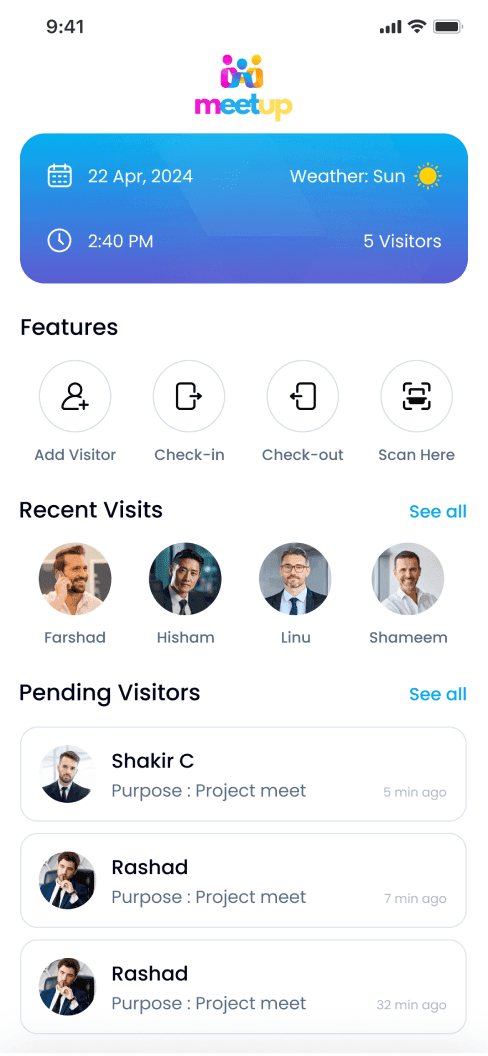
Visitor count, pending guests and their visit purpose, with check-in, check-out and scan one tap away.
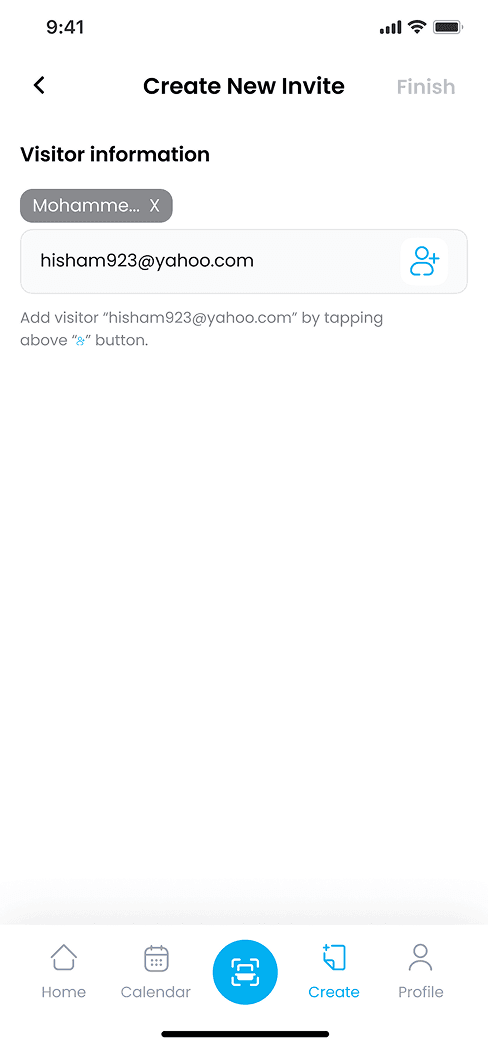
The host types the guest's email and sends the invitation. That's the whole job for the host.
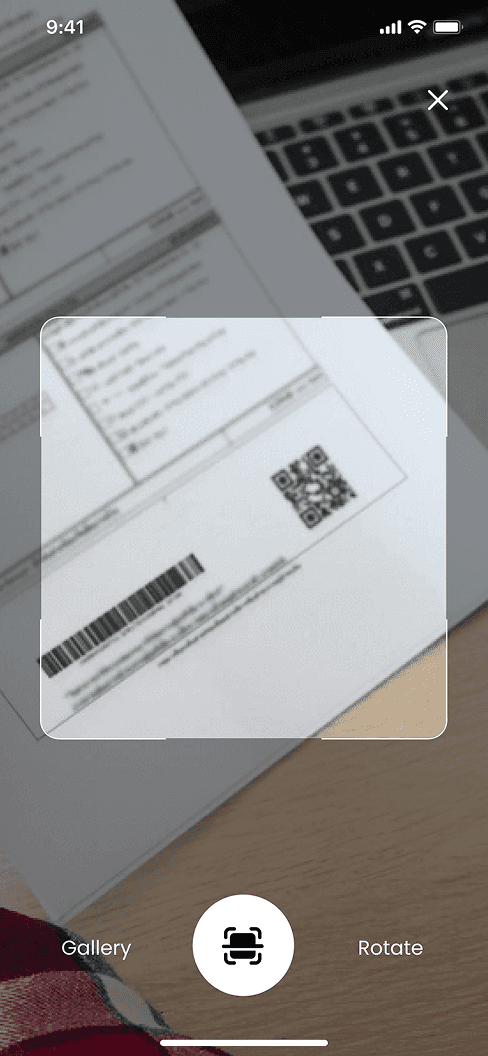
Reception or security scans the guest's QR code, and the check-in is recorded.
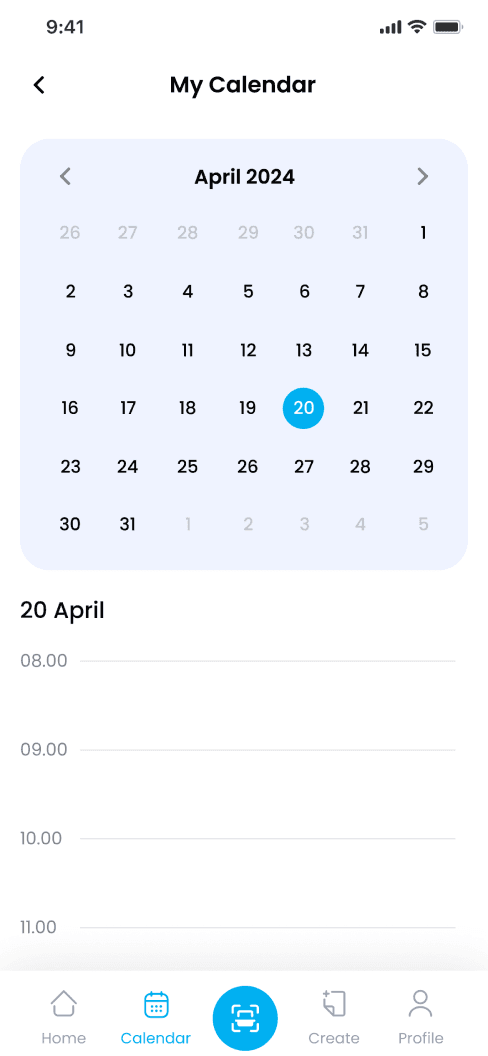
Each host sees their expected visitors by day and hour.
Visitor management
Everything a reception desk, a host and a security team need from the gate to the exit. You choose which pieces your sites use.
Hosts invite guests by email before the visit. Each guest gets a unique QR code, so nobody stands at the desk spelling their name.
Every arrival and departure is time-stamped. The log replaces the paper book and shows who is still inside.
Walk-in visitors register themselves at the entrance, which keeps the queue short when reception is busy.
The host is notified as soon as the guest checks in. Reception stops phoning around to find people.
Record company, phone, visit purpose and vehicle registration, and mark VIP visitors so reception knows who needs special handling.
Guests carry a pass while on site, so staff can tell a visitor from an employee at a glance.
Search past visits by date, host, visitor or site. Reports show visit volumes and peak hours.
Run one visitor process across your Riyadh head office and branches. Each site sees its own visitors, and head office sees all of them.
Require approval before a guest can visit a sensitive area, and link registration to your doors, gates or turnstiles.
Comparing vendors? Read how to choose visitor management software in Riyadh.
Most Saudi offices still start with a sign-in book at reception. Here is what changes when the same visits run through a visitor management system.
Scroll horizontally to compare all three columns.
| Area | Manual (paper log) | Digital (visitor management system) |
|---|---|---|
| Registration | Written at the desk on arrival | Pre-registered before arrival |
| Check-in | Reception copies details by hand | Desk, tablet or kiosk check-in |
| Host notification | Reception phones the host | Automatic notification on arrival |
| Security | Hard to know who is on site | Live list of visitors on site |
| Tracking | Departure times often missing | Time-stamped arrival and departure |
| Reporting | Counted by hand, if at all | Reports by site, date and host |
| Data retrieval | Search through paper books | Search any past visit in seconds |
| Visitor experience | Queue and repeat details every visit | Returning visitors are recognized, no form to refill |
| Multi-location | Each site runs separately | Central view across sites |
Riyadh · Jeddah · Dammam
Our team works from Riyadh, so workshops, setup and staff training happen at your site, in person. The same system runs your branches in Jeddah, Dammam and other cities. Every building receives visitors differently, so here is how the flow changes by sector.
Meeting guests and interview candidates arrive pre-registered. Hosts on any floor know the moment their guest is at reception.
Visits need approval before the guest arrives, and the record shows who entered and whom they met.
Visitors, suppliers and contractors check in through separate flows, so staff know who is in which area.
Parents, contractors and guests are identified at the gate and logged for as long as they are on campus.
Contractors and drivers register at the gate with their company and vehicle number, and security keeps a live on-site list.
One reception serves many tenants. Each tenant sees its own visitors, and the building keeps one record.
Residents invite their guests, guests enter with a QR code, and the gate keeps a log without slowing anyone down.
Connected workflows
A visitor system that sits on its own becomes one more screen for reception to check. Ours connects to the systems your building already runs.
Link visitor registration to your doors, gates and turnstiles, so a guest's entry rights match their visit. We delivered this in the Meetup project.
See the Meetup case studyStaff sign in with their Microsoft account. Calendar and meeting-room connections are mapped to the systems each site already runs.
If you already use Adox ERP or CAFM Cloud, visitor data can flow into the same platform instead of sitting in a separate tool.
Why Adox Arabia
Buying visitor software is easy. Getting it to work on your gates, with your reception team, in your buildings, is the hard part. That is the part we do.
The people who configure your system are the people who answer when something breaks. No reseller, no overseas ticket queue.
Workshops, setup and staff training happen at your site, with the same team staying on for support.
Visitor types, form fields, approvals and alerts follow how your building already receives people.
We built Meetup, a visitor management app for iOS and Android with QR entry, host alerts, visitor logs and access-control integration.
View the Meetup case studyCompanies that work with Adox Arabia




Here are a few common questions our clients usually ask us.
Request a Quote